QuickBooks Online
Booking to bookkeeping, without opening QuickBooks
Invoices push across when you send them. Payments sync both directions. You stop typing the same invoice twice, and your books stay current without you logging in to keep them that way.
What syncs
Six things it handles for you
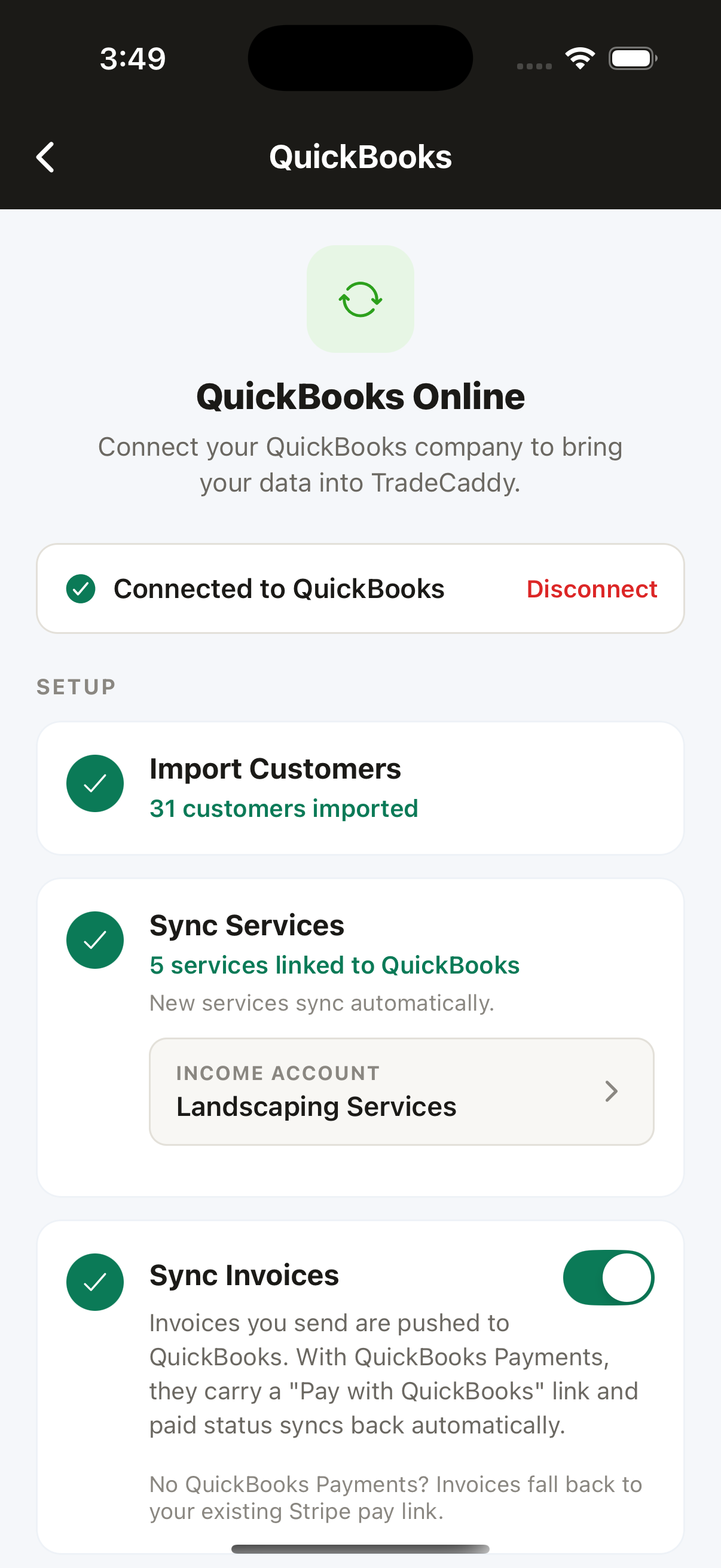
Import your customers
Bring every customer across from QuickBooks in one pass, matched and deduped against what you already have. New customers you add in Trade Caddy show up in QuickBooks too.
Invoices push automatically
Complete a job or send an invoice and it lands in QuickBooks as a real invoice with the right customer, the right line items, and the right numbers.
Paid status syncs both ways
If a customer pays inside QuickBooks, Trade Caddy marks it paid. If they pay by card, cash, or you mark it manually, Trade Caddy writes the payment back so it closes there too.
Services map to your items
Your price book maps to QuickBooks items under an income account you choose. Change the account later and items Trade Caddy created can be re-pointed.
Pay links that follow your setup
If you have QuickBooks Payments, invoices can carry a Pay with QuickBooks link. Otherwise they fall back to Stripe, then to contacting you to arrange payment.
Off by default, yours to control
The sync is a per-company toggle. Nothing in your books is touched until you turn it on, and you can turn it off again whenever you want.
Setup
Connected in four steps
Authorize once from Settings, then import your customers and map your services. After that it runs on its own.
- 1
Connect QuickBooks
Authorize the connection from Settings, Integrations, in the app.
- 2
Import your customers
Pull your existing QuickBooks customers across, matched and deduped.
- 3
Map your services
Point your price book at QuickBooks items under the income account you choose.
- 4
Work as normal
Invoices push across on send or completion, and paid status stays in step both ways.
The day it saves you
A job, end to end
What actually happens between a customer booking and the money showing up in your books.
Booked
A customer books online, or you add the job to the schedule yourself.
Done
Your crew completes the job and marks it done in the app.
Invoiced
The invoice goes out and pushes straight into QuickBooks.
Paid
The customer pays, and the paid status syncs back on its own.
Questions
Before you connect it
Is QuickBooks sync an upgrade?
No. There is one plan and QuickBooks Online sync is part of it, the same as everything else.
Do you support QuickBooks Desktop or other accounting software?
No. QuickBooks Online is the only accounting integration. There is no QuickBooks Desktop support and no integration with Xero, FreshBooks, Wave, or anything else.
Will it overwrite my existing books?
No. The sync is additive. Your services map to QuickBooks items under an income account you pick, and imported customers are matched against what is already there rather than duplicated over it.
Do I have to use it?
No. It is behind a per-company toggle and off until you turn it on. Trade Caddy handles invoices, payments, and quotes perfectly well with no QuickBooks connection at all.
What happens if the connection expires?
You get a prompt in the app to reconnect QuickBooks. Nothing is lost while it is disconnected, and syncing resumes once you reauthorize.
Stop entering every invoice twice
Connect QuickBooks from the app and let the invoices and payments keep themselves in step.
30-day free trial. No credit card required, and nothing is charged unless you choose a plan at the end.