Route optimization
Stop driving the day twice
Drop the jobs on a day in whatever order they came in, and let the route order itself around your starting point, live traffic, and the appointments you have already committed to.
The problem
The order you booked them is never the order you should drive them
Jobs arrive in the order customers call, which has nothing to do with geography. Left alone, a day of eight stops turns into crossing the same neighborhood three times.
What it does
Six things the router handles
Multi-stop optimization
Drop the day on the schedule and the engine orders the stops around your starting point instead of the order you happened to add them in.
Live traffic
Drive times come from Google Maps using the actual departure time and current traffic conditions, not straight-line distance.
Locked time slots
A customer who has to be at 2pm stays at 2pm. The optimizer builds the rest of the day around the appointments you have committed to.
Start and end where you want
Set the start and end location for the day, and re-optimize whenever either one changes.
Re-optimize mid-day
A cancellation, an add-on, a job that ran long. Re-run the route and the rest of the day reorders around what is left.
A route per crew member
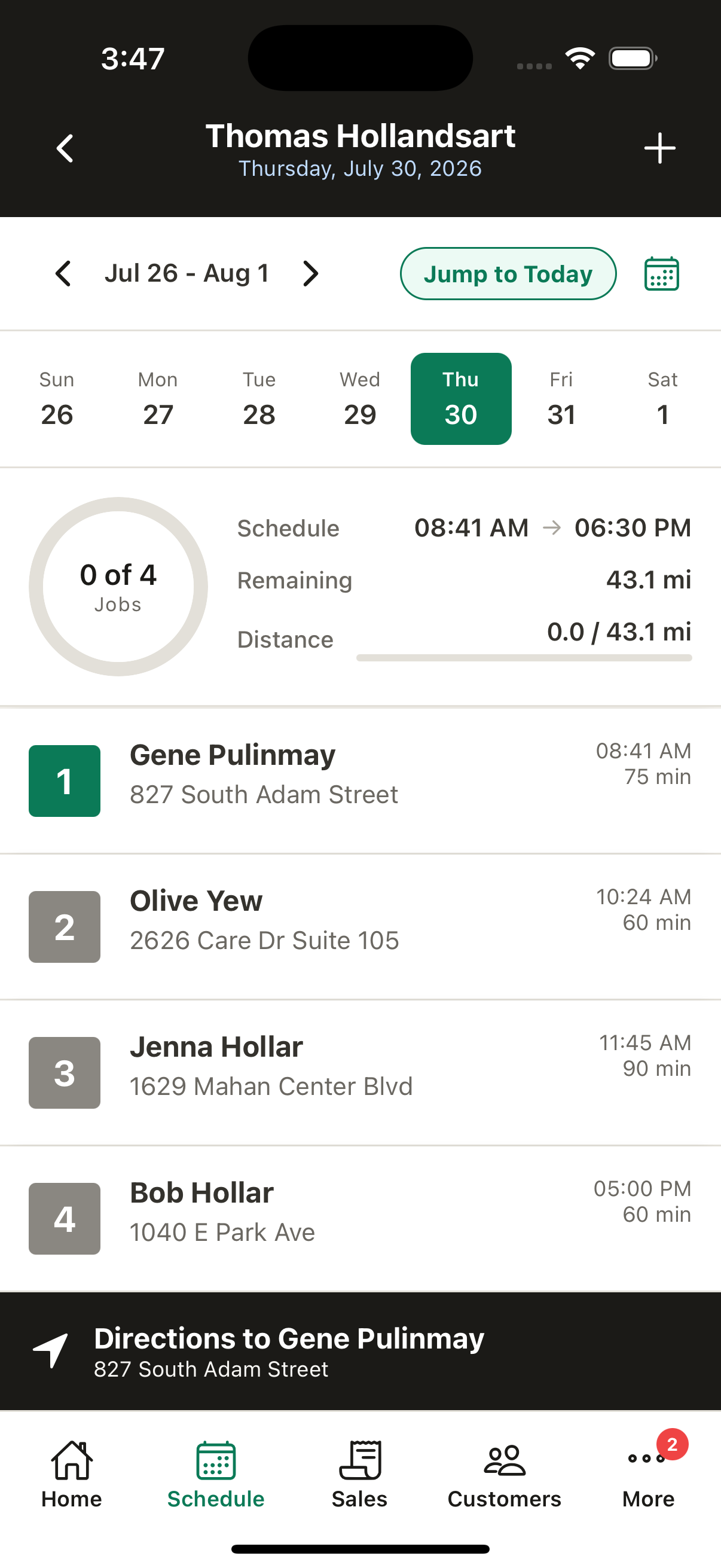
Each rep gets their own day view with their own stops, their own drive distance, and their own completion progress.
How it runs
Four steps, once a morning
- 1
Put the jobs on the day
Add them in any order. Recurring visits are already there.
- 2
Lock what has to hold
Any appointment with a committed time gets locked in place.
- 3
Optimize
The engine orders the rest around your start point and live traffic.
- 4
Work it from the phone
Each rep opens their own route and taps through to navigation.
Capacity
No route limits to think about
Route optimization is part of the one plan. There is no tier that unlocks more stops, and no cap to run into on a busy Monday.
Questions
What it does and does not do
How many stops can a route handle?
As many as you schedule. Route capacity is not a plan limit, because there is only one plan.
Does it account for traffic?
Yes. Drive times and ETAs come from Google Maps using the departure time and current traffic conditions, rather than a straight-line estimate.
What happens to appointments I have already promised?
Lock the time slot and the optimizer will not move it. It builds the rest of the day around your commitments instead of over them.
Can I re-run it if the day changes?
Yes. Re-optimize any time the start location, end location, or job list changes, and the remaining stops reorder.
Does it track my mileage for taxes?
No. Trade Caddy shows the drive distance and time for a route, but it is not a mileage log for tax purposes and does not track fuel spend.
Does it assign jobs based on tech skills?
No. You assign jobs to crew members yourself. There is no skill or certification matching.
Give the day a better order
Put your stops on a schedule and see what the route looks like when it is built around geography instead of call order.
30-day free trial. No credit card required, and nothing is charged unless you choose a plan at the end.